

 Prospector Studio
Prospector Studio is Strike48's AI-powered platform for building and managing autonomous agents, workflows, and knowledge bases. It serves as the backend orchestration layer that all Strike48 connector apps integrate with.
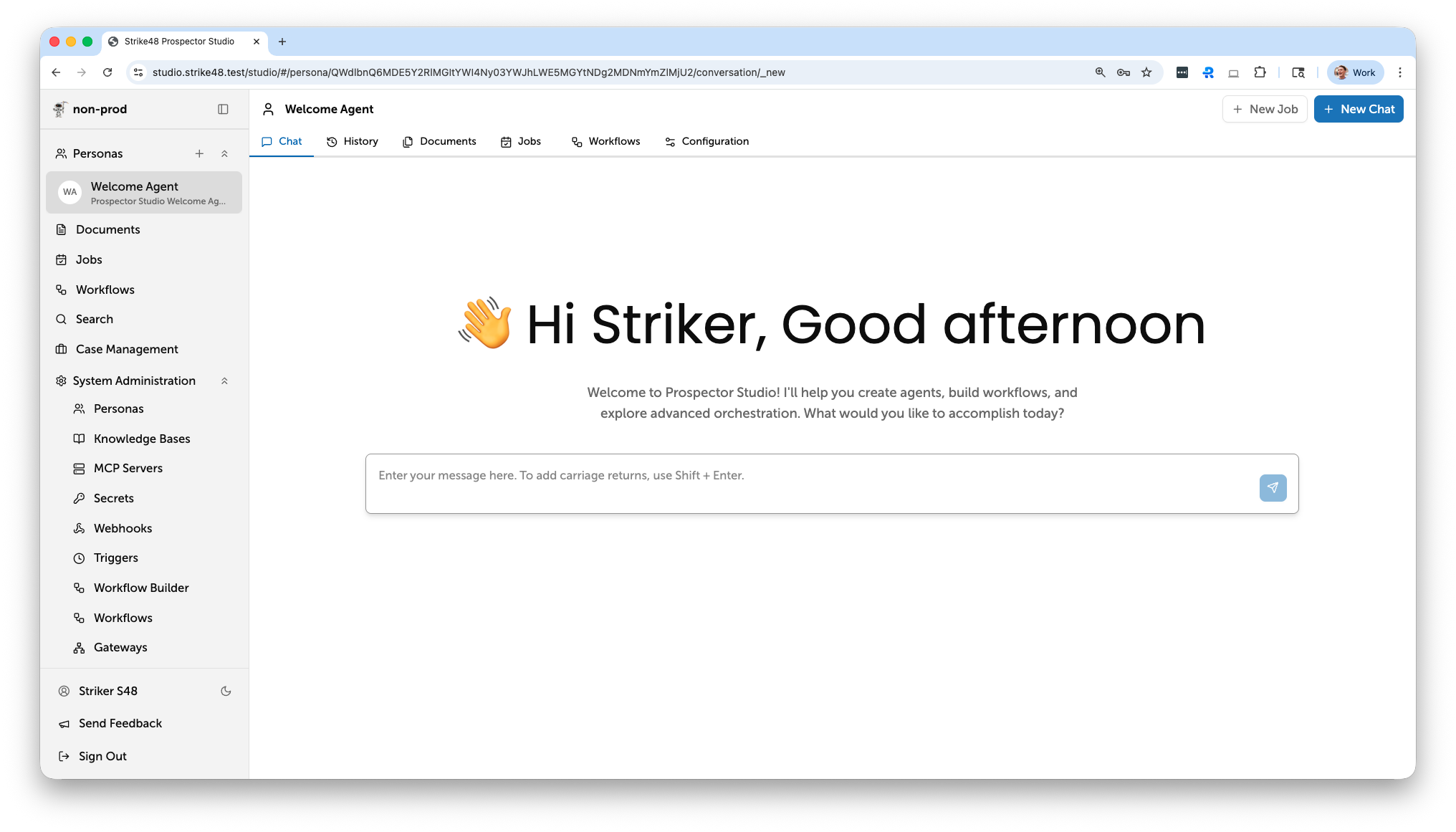
What is Prospector Studio?
Prospector Studio provides a web-based interface for:
- Conversational AI — Chat with configurable agents backed by LLM providers (Claude and more)
- Agent Management — Create agents with custom tools, integrations, and knowledge bases
- Workflow Automation — Build multi-step workflows with conditional routing, approval gates, and artifact management
- Knowledge Bases — Upload documents and enable RAG (Retrieval-Augmented Generation) for context-aware responses
- Feature Flags — Control feature rollouts at runtime
Key Features
Chat Interface
Interactive conversations with AI agents. Each conversation maintains full context and can leverage tools, knowledge bases, and workflow triggers.
Agents
Autonomous agents that combine LLM capabilities with custom tools and skills. Agents can execute actions, query knowledge bases, and trigger workflows on behalf of users.
Knowledge Bases
Document-backed RAG powered by pgvector. Upload PDFs, DOCX, CSV, JSON, and other formats — Prospector Studio automatically chunks, embeds, and indexes content for semantic search.
Workflows
Visual workflow builder with support for:
- Container, Python, SQL, and LLM task types
- Conditional branching and approval gates
- Artifact management between steps
- Real-time execution monitoring
MCP Servers
Connect external tools, resources, and prompts to agents via the Model Context Protocol. Browse available servers, configure connections, and attach tools to specific agents.
Connectors
External services that integrate with Prospector Studio over a persistent gRPC bidirectional stream. Connectors provide tools, data pipelines, and even full web UIs to the platform.
Next Steps
- Getting Started — Set up and access Prospector Studio
- Agents — Create and configure AI agents
- Knowledge Bases — Upload documents for RAG
- Workflows — Build automated workflows
- MCP Servers — Connect external tools via Model Context Protocol
- Connectors — Integrate services over gRPC