

 Findings
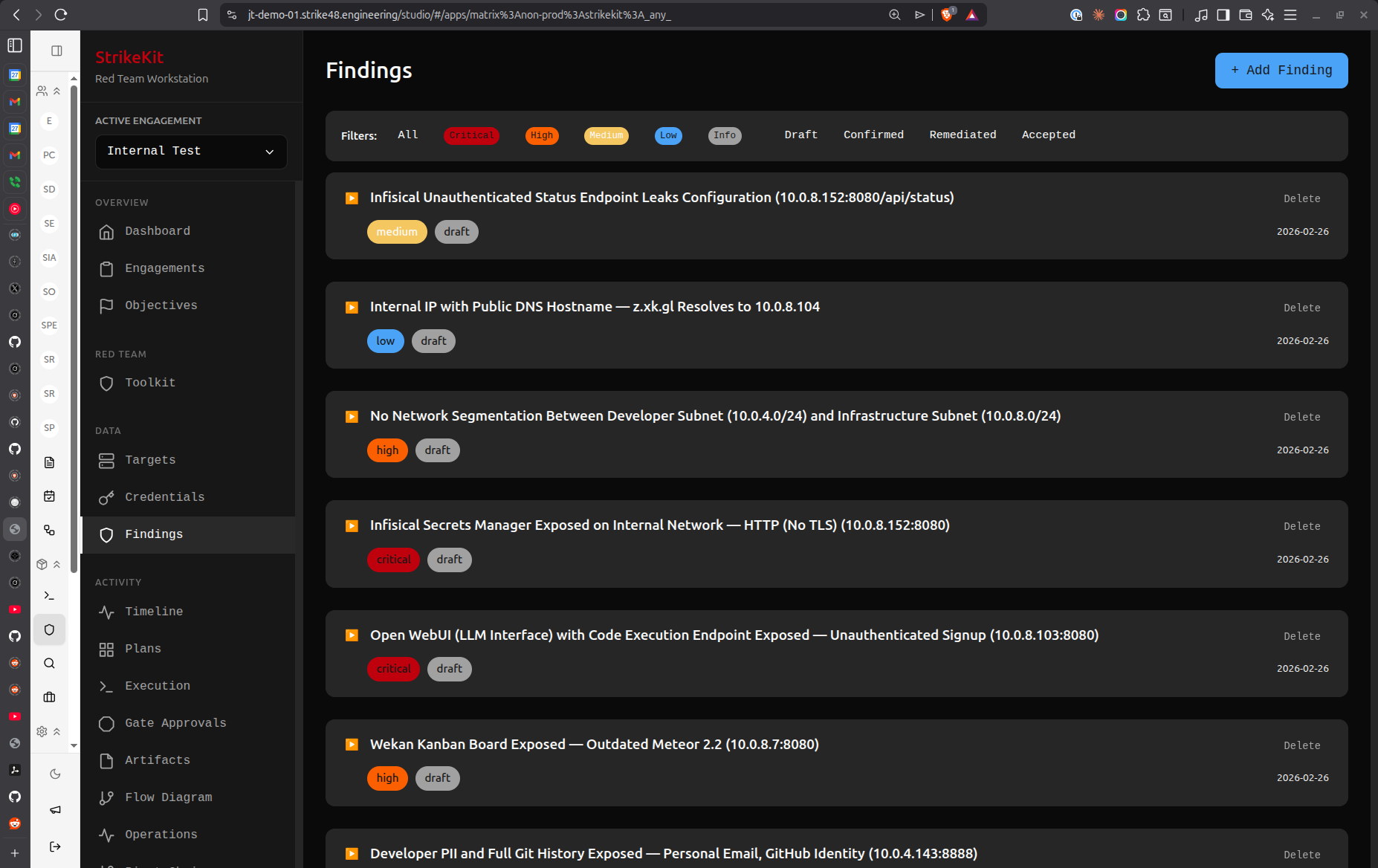 Findings list showing vulnerabilities sorted by severity
Creating a Finding
- Navigate to Analysis → Findings
- Click Create Finding
- Fill in the finding details
Required Fields
Title: Clear, concise vulnerability description
Good:
- "SQL Injection in User Search"
- "Unencrypted Database Credentials in Configuration File"
- "Missing Authentication on Admin API"

Avoid:
- "Security Issue"
- "Problem Found"
- "Vulnerability"
Severity: Impact level
- Critical: Complete system compromise, data breach imminent
- High: Significant impact, privilege escalation, sensitive data exposure
- Medium: Moderate impact, requires additional exploitation
- Low: Minimal impact, defense-in-depth issue
- Informational: Observation, best practice recommendation
Description: Detailed explanation of the vulnerability
## Overview
Brief description of what was found

## Impact
What an attacker could achieve

## Steps to Reproduce
1. Detailed steps to reproduce
2. Include commands or requests
3. Show the result

## Evidence
Reference attached screenshots or artifacts

## Remediation
Specific recommendations to fix
Optional Fields
Status:
- Draft: Work in progress
- Review: Ready for team review
- Approved: Confirmed for report
- Reported: Included in delivered report
CVSS Score: Common Vulnerability Scoring System rating (0.0-10.0)
Affected Targets: Link to specific targets from your engagement
Evidence: Attach screenshots, logs, or artifacts
Remediation: Specific steps to fix the vulnerability
References: CVE numbers, blog posts, documentation links
Sorting Findings
Use the sort controls in the filter bar:
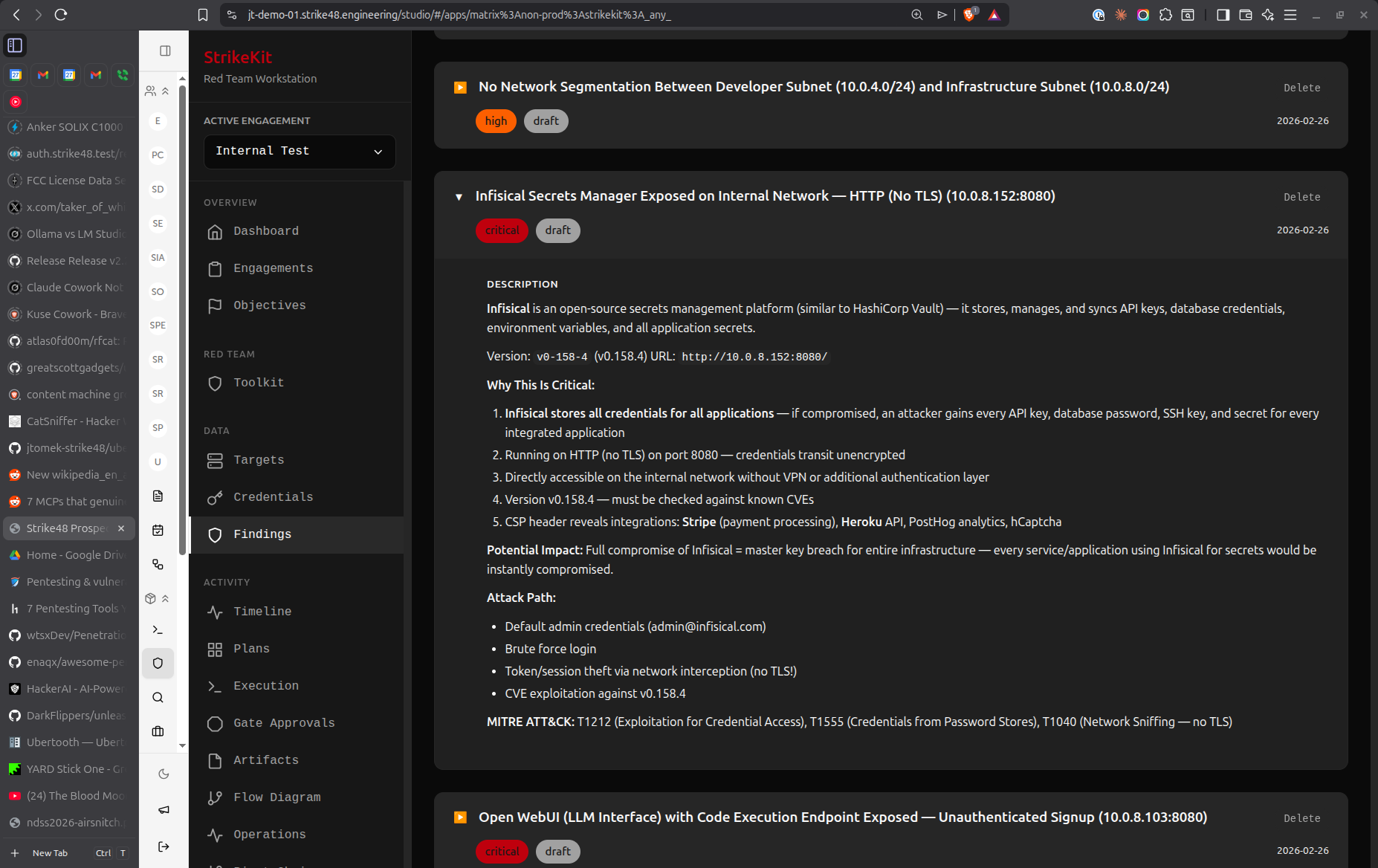 Detailed finding view with evidence and remediation
By Criticality
Sorts findings by severity (Critical → Informational)
Use case: Prioritizing report sections, focusing on high-impact issues
By Created Time
Sorts by discovery date (newest first)
Use case: Tracking recent discoveries, daily status updates
By Updated Time
Sorts by last modification (newest first)
Use case: Seeing what's been recently edited, tracking review progress
Filtering Findings
By Severity
Click severity badges to filter:
- Show only Critical findings
- Show only High findings
- Combine with status filters
By Status
Filter by workflow status:
- Draft (needs completion)
- Review (ready for team)
- Approved (confirmed)
- Reported (delivered)
Clear Filters
Click Clear Filters to reset all filters and show all findings.
Linking Findings
To Targets
Link findings to affected systems:
- In the finding form, select Affected Targets
- Choose one or more targets
- Target appears in finding details
- Finding appears on target details page
Benefits:
- Shows which systems are vulnerable
- Generates target-specific remediation lists
- Provides context in reports
To Evidence
Attach proof of vulnerability:
- Upload evidence to Analysis → Evidence
- In finding form, reference evidence items
- Evidence thumbnails appear in finding
- Click to view full evidence
Types of evidence:
- Screenshots of exploitation
- Command output logs
- Network packet captures
- Configuration files
- Proof-of-concept code
To Objectives
Link findings to engagement objectives:
- Reference objective in finding description
- Shows how finding relates to goals
- Demonstrates objective achievement
- Provides context for severity rating
Finding Templates
Speed up documentation with templates:
SQL Injection Template
## Overview
SQL injection vulnerability in [PARAMETER] allows arbitrary database queries.

## Impact
- Complete database compromise
- Sensitive data exfiltration
- Potential for remote code execution

## Steps to Reproduce
1. Navigate to [URL]
2. Submit payload: `' OR '1'='1`
3. Observe unauthorized data access

## Evidence
See attached screenshot [EVIDENCE_ID]

## Remediation
1. Use parameterized queries
2. Implement input validation
3. Apply principle of least privilege to database accounts
4. Enable query logging and monitoring
Weak Authentication Template
## Overview
[SERVICE] uses weak/default credentials allowing unauthorized access.

## Impact
- Unauthorized system access
- Potential for privilege escalation
- Data exposure risk

## Steps to Reproduce
1. Access [URL/SERVICE]
2. Attempt login with username: [USERNAME]
3. Attempt login with password: [PASSWORD]
4. Observe successful authentication

## Evidence
See attached screenshot [EVIDENCE_ID]

## Remediation
1. Enforce strong password policy
2. Require password change on first login
3. Implement multi-factor authentication
4. Monitor for suspicious authentication attempts
Best Practices
Writing Quality Findings
- Be specific: Name exact systems, parameters, or configurations
- Show impact: Explain what an attacker could achieve
- Provide evidence: Always include proof
- Give actionable remediation: Specific steps, not just "fix it"
- Use consistent formatting: Follow your organization's template
Severity Guidelines
Critical:
- Remote code execution without authentication
- Database access with admin privileges
- Plaintext passwords in publicly accessible locations
- Complete authentication bypass
High:
- Authenticated remote code execution
- SQL injection with data access
- Privilege escalation to admin
- Sensitive data exposure (PII, credentials)
Medium:
- Authenticated SQL injection (limited access)
- Cross-site scripting (XSS) with session hijacking
- Information disclosure (system details)
- Missing encryption on sensitive data in transit
Low:
- Self-XSS
- Information disclosure (non-sensitive)
- Missing security headers
- Verbose error messages
Informational:
- Best practice recommendations
- Defense-in-depth suggestions
- Outdated software (no known exploits)
- Configuration observations
Review Workflow
Before finalizing findings:
- Self-review: Read as if you're the client
- Technical accuracy: Verify steps to reproduce
- Evidence completeness: Ensure all proof is attached
- Remediation clarity: Verify recommendations are actionable
- Consistency: Check severity ratings align with similar findings
Report Generation
When preparing for report delivery:
- Sort by severity (Critical first)
- Review all Draft findings
- Move approved findings to Approved status
- Verify all findings have evidence attached
- Check target linkage
- Generate report from Reporting → Reports
Common Workflows
During Testing
- Discover vulnerability
- Immediately create Draft finding
- Document basic details (title, severity, description)
- Capture evidence
- Continue testing
- Return later to complete details
During Report Writing
- Filter for Draft findings
- Complete missing details
- Attach all evidence
- Write clear remediation
- Change status to Review
- Team reviews and approves
- Change status to Approved
- Generate report
Post-Delivery
- Change all included findings to Reported
- Archive engagement
- Findings remain in database for reference
- Use as templates for future engagements
Tips
- Document as you go: Don't wait until the end to write findings
- Draft first, perfect later: Capture basics immediately, refine during report writing
- Use consistent templates: Maintain quality across findings
- Link everything: Connect findings to targets, evidence, and objectives
- Be clear on remediation: Client should know exactly what to do
- Include timelines: Note if issue requires immediate attention
- Consider audience: Write for both technical and executive readers
Related Features
- Evidence - Evidence collection
- Targets - System tracking
- Reports - Report generation
- MITRE ATT&CK - Technique tagging
Next Steps
After documenting findings:
- Attach Evidence - Link supporting proof to findings
- Link to Targets - Associate findings with affected systems
- Tag with MITRE ATT&CK - Map to attack techniques
- Generate Reports - Create deliverable with all findings
Related Documentation:
- Workflow Guide - Report preparation process
- Evidence Collection - Proper evidence handling
- Report Templates - Customize report format
Video Tutorial
📹 Coming Soon: Complete guide to documenting findings professionally
Quick Demo
🎬 GIF: Creating a finding with evidence