

 Execution
Overview
The Execution view provides real-time monitoring of engagement operations with built-in safety controls for risky activities.
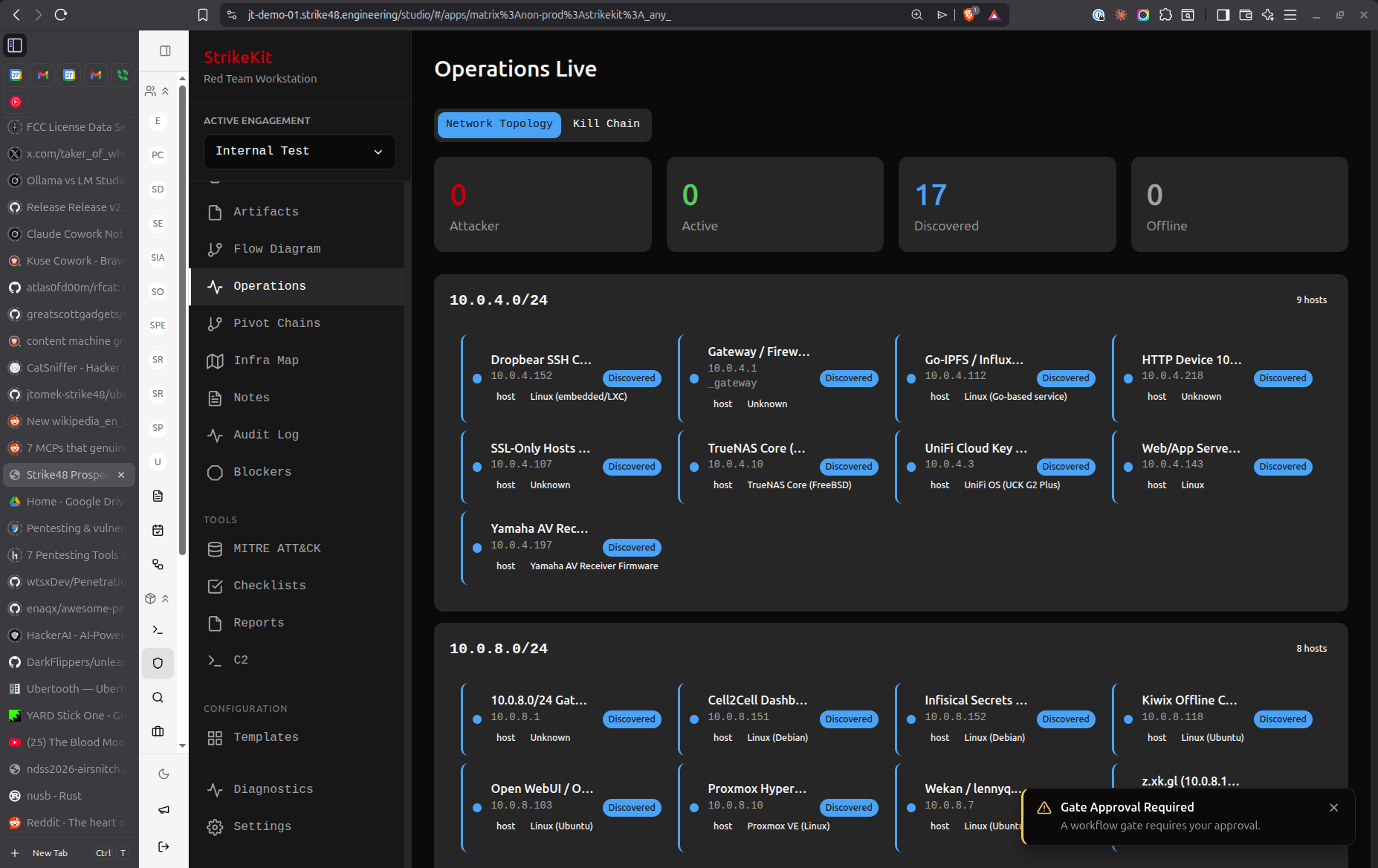 Real-time operation monitoring with approval gates
Features
Operation Monitoring
Track active operations:
- Current phase
- Operations in progress
- Completion status
- Error tracking
Approval Gates
Require approval before:
- Out-of-scope actions
- Privilege escalation
- Data exfiltration
- Service disruption
- Credential use
Real-Time Status
Live updates showing:
- Active operations
- Pending approvals
- Blocked operations
- Completed tasks
Notification System
Alerts for:
- Operations requiring approval
- Completed operations
- Failed operations
- Blockers encountered
Approval Gates
Configuring Gates
Define what requires approval:
- Navigate to Mission → Execution
- Configure gate settings
- Define notification recipients
- Set timeout policies
Handling Approvals
When operation requires approval:
- Operation pauses
- Notification sent
- Reviewer approves/denies
- Operation continues or stops
Gate Types
Scope Gates:
- Out-of-scope target access
- New network discovery
- Unplanned system interaction
Risk Gates:
- Service disruption risk
- Data modification
- Account creation
- Persistence mechanisms
Compliance Gates:
- Credential usage
- Data exfiltration
- Privilege escalation
- System modifications
Engagement Kickoff
Starting Operations
- Complete planning
- Review objectives
- Check approval gates configured
- Start execution monitoring
- Begin operations
Operation Tracking
Monitor through execution view:
- Operation type
- Target system
- Status (Running/Paused/Complete)
- Evidence collected
- Issues encountered
Best Practices
- Configure gates early: Set up before operations begin
- Clear approval process: Define who approves what
- Monitor regularly: Check execution view frequently
- Document approvals: Record all approval decisions
- Emergency stop: Know how to pause all operations
Related Features
- Planning - Define execution plan
- Objectives - Track goal achievement
- Blockers - Handle obstacles
- Timeline - Review operation history